

QR Code for Weddings
Use a wedding QR code to link guests to your RSVP form, wedding website, or a shared photo album they fill during the reception. Print it once on save-the-dates, invitations, table cards, or welcome signs. Because it's dynamic, you can change where it points after printing without reordering anything.
How QR codes work for wedding
You create one QR code and point it at any wedding link: an RSVP form, your wedding website, a registry, or a Google Photos / Dropbox album where guests upload their candids. Guests scan it from invitations or a card on each reception table and land on that page instantly. With a dynamic code, you can swap the destination later, so a save-the-date QR can become a live photo album on the big day.
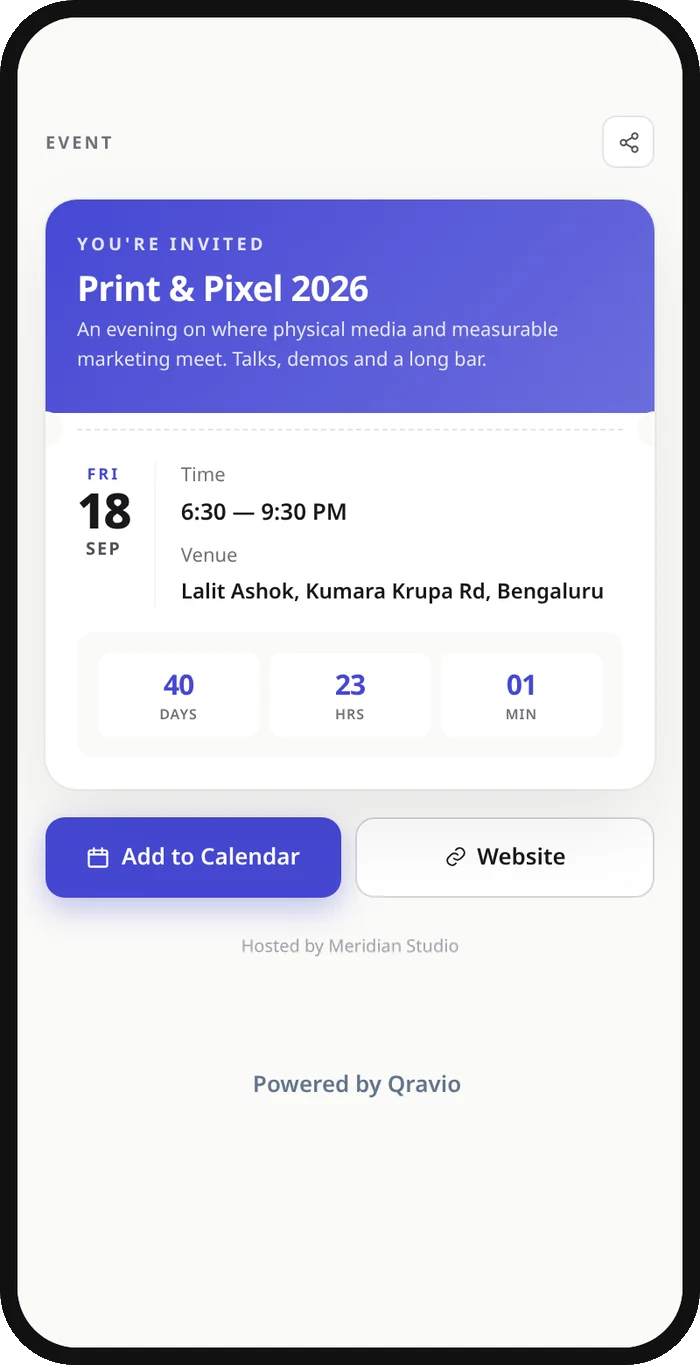
What your wedding QR opens
A real Qravio scan page, shown with demo content. Every part of it is editable after the code is printed.
Make your Wedding QR code
Build it free below, then create an account to make it dynamic — edit it anytime and track scans.
Set up your Wedding QR code
- 1Pick a QR type in Qravio: a Website/URL code for an RSVP form, wedding site, or registry, or a file code if you want guests landing on a shared gallery link.
- 2Paste your destination, your RSVP page URL, wedding-website link, or the shared photo-album link guests upload to during the reception.
- 3Customize the code with your wedding colors or monogram and a short label like 'Scan to RSVP' or 'Scan to share your photos'.
- 4Download a high-resolution PNG or SVG (no watermark) and hand it to your stationer for save-the-dates, invitations, table cards, and the welcome sign.
- 5Place it where guests are seated and unhurried, table cards convert best, then re-point the same code to your photo album on the wedding day.
Why use a Qravio QR code for wedding
One code, every stage of the wedding
Print a single QR on save-the-dates that points to your RSVP form, then re-point that same code to your live photo album for the reception. Guests never see a new code, and you never reprint.
Editable months after invitations ship
Venues change, registries fill up, and schedules shift. With a dynamic Qravio code you update the destination in seconds, so an invitation mailed in January still works in June.
No watermark on your stationery
Qravio's free dynamic tier produces clean, watermark-free codes you can recolor to match your invitation suite, no clashing logo on your $8-per-card letterpress.
See who's actually scanning
Real-time scan analytics show how many guests opened your RSVP page or photo album, so you know whether the table cards are working before the night is over.
Pro tip
Set up your code as an RSVP link first, then re-point the very same printed QR to your shared photo album the morning of the wedding, one code quietly does double duty across the whole event.
Wedding QR code FAQ
Can I change where the QR code goes after my invitations are printed?
Yes. Qravio codes are dynamic, so the printed code stays the same while you edit its destination anytime. Point it at your RSVP form before the wedding, then switch it to your shared photo album on the day, no reprinting.
Will the QR code have a watermark on my invitations?
No. Qravio's free dynamic tier exports clean, high-resolution PNG and SVG codes with no watermark or branding, so they sit naturally on your invitation suite, table cards, and signage.
What's the best place to put a wedding QR code?
Save-the-dates and invitations work for RSVPs and your wedding website. For photo sharing, a small card on each reception table converts best, guests are seated, phones are out, and they have time to scan and upload.
Can guests use the QR code to share photos from the reception?
Yes. Point your QR code at a shared Google Photos, Dropbox, or wedding-gallery link and add a label like 'Scan to share your photos'. Guests upload candids straight from their phones, no app required.
Create your Wedding QR code
Free to start. No watermark. Editable and trackable in under a minute.