

Video QR Code Generator
A video QR code is a dynamic QR that encodes a short Qravio link. When scanned, the phone opens a hosted landing page or redirects straight to your video, a YouTube, Vimeo, or uploaded MP4 clip, that plays in the browser. Because it is dynamic, you can swap the video later without reprinting the code.
Open a hosted Video page
This one opens a page Qravio hosts for you — so you can change what people see after the code is printed, and watch every scan land. Start building now, add your email when you want to keep it.
How a Video QR code works
Instead of embedding a fixed video URL, the QR stores a short Qravio redirect link. At scan time, Qravio resolves it to your current video, either redirecting to the source (YouTube/Vimeo) or showing a branded mobile page where the clip plays inline. You can change the linked video anytime, and the printed code keeps working.
What people see after scanning
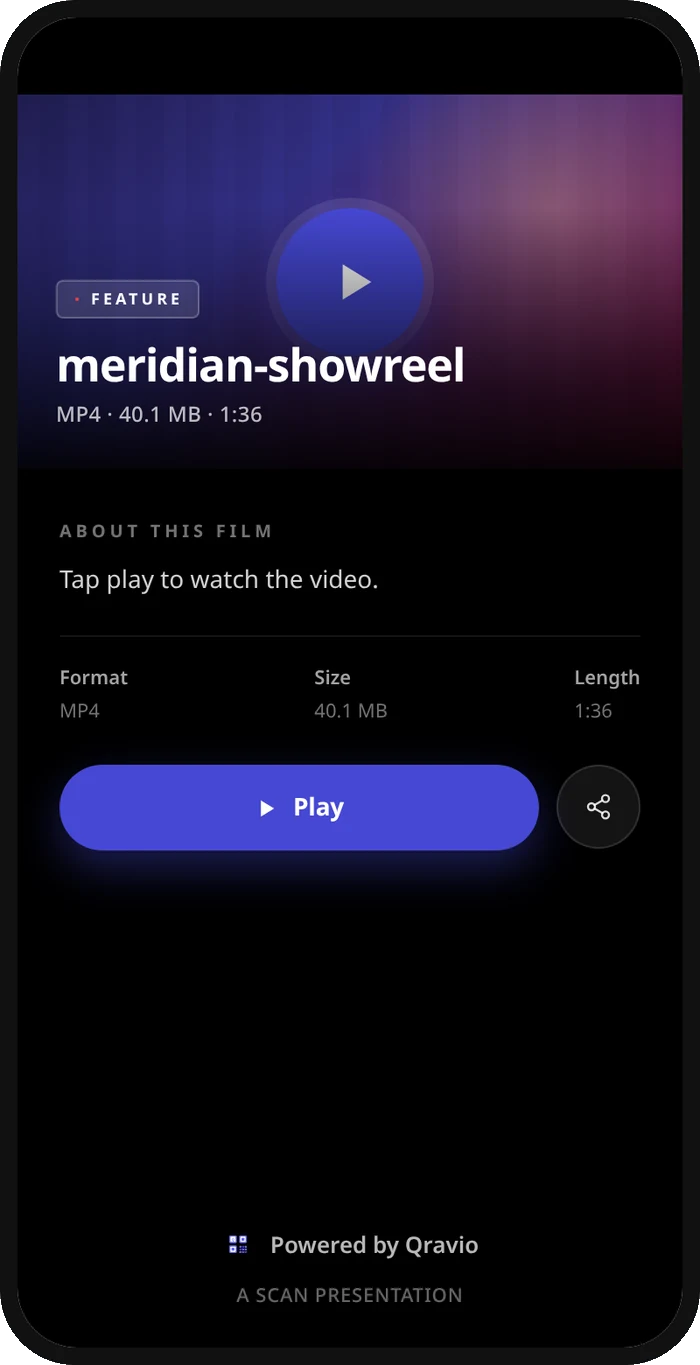
The page a Video QR code opens on a phone. Yours to design — colours, layout and content all change from the builder.
Popular uses
- Product packaging that links to an unboxing or how-to-use demo video
- Restaurant tables or menus showing a chef's recipe or signature dish reel
- Real estate signs and flyers linking to a property walkthrough tour
- Event posters and tickets playing a trailer, teaser, or speaker promo
- Business cards or resumes linking to a personal video introduction
Why create your Video QR code with Qravio
Swap the video without reprinting
Update the linked clip whenever your campaign changes, the same printed video QR code keeps pointing to whatever video you set, so old packaging never shows outdated content.
See exactly how many people watched
Every scan is tracked in real time with location, device, and time data, so you know which posters, products, or stores actually drive video views.
Works with any video source
Link YouTube, Vimeo, an MP4, or an uploaded clip. Qravio handles the redirect or hosts a clean mobile player page so viewers do not need a separate app.
Free with no watermark
Qravio's free dynamic tier creates editable, trackable video QR codes with no watermark on the code. The page it opens shows a small 'Powered by Qravio' footer, which Agency white label replaces with your own brand. Custom domains start on Pro.
Video QR code FAQ
Can I change the video after I print the QR code?
Yes. A Qravio video QR code is dynamic, so you can swap the linked video anytime from your dashboard. The printed code never changes and instantly points to the new clip on the next scan.
Does the video play right after scanning?
Scanning opens the video automatically, either by redirecting to the source like YouTube or Vimeo, or by loading a branded Qravio landing page where the clip plays inline in the phone browser.
What video formats and platforms are supported?
You can link YouTube and Vimeo URLs, direct MP4 files, or upload your own clip. Qravio chooses a direct redirect or a hosted player page depending on the source you provide.
Is the video QR code generator really free?
Yes. Qravio's free tier creates dynamic, editable video QR codes with no watermark and includes real-time scan analytics. You only need a free account to manage and update your codes.
Popular use cases
Create your Video QR code
Free to start. No watermark. Make it dynamic to edit it later and track every scan.