

Business Profile QR Code
A business profile QR code links to a hosted, mobile-friendly profile page for your company. When scanned, it opens a branded landing page showing your logo, business hours, address with map, phone, email, website and social links. Because it is dynamic, you edit the profile anytime without reprinting the code.
Open a hosted Business page
This one opens a page Qravio hosts for you — so you can change what people see after the code is printed, and watch every scan land. Start building now, add your email when you want to keep it.
How a Business Profile QR code works
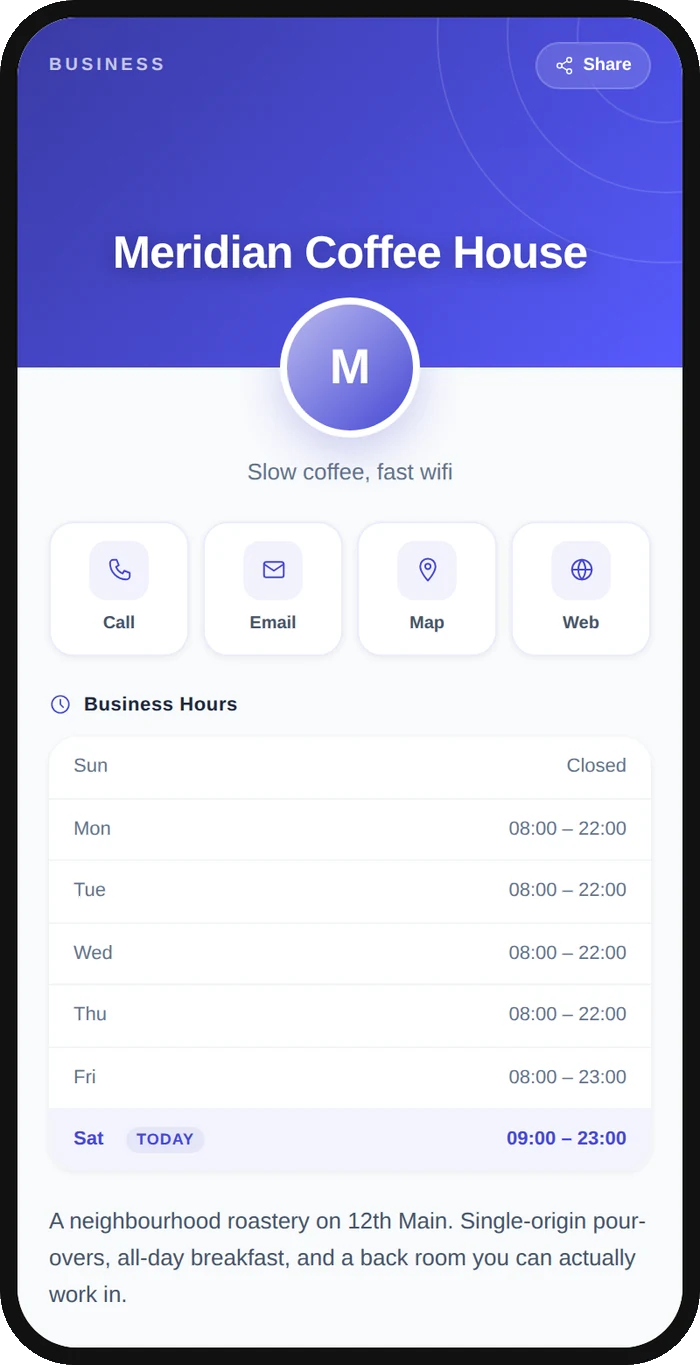
The QR code stores a short Qravio URL, not your business details directly. When someone scans it, they land on a hosted profile page you control, with your logo, hours, location, contact buttons and social links. Update any field in Qravio and the live page changes instantly, while the printed code stays the same.
What people see after scanning
The page a Business Profile QR code opens on a phone. Yours to design — colours, layout and content all change from the builder.
Popular uses
- Storefront window or door sticker that shows hours, address and a tap-to-call button
- Restaurant table tents linking to menu, hours, reservations and Instagram
- Service vans, vehicle wraps and field-team uniforms for instant company info
- Trade-show booths and printed flyers that route prospects to a live profile
- Product packaging or receipts pointing customers to support, reviews and socials
Why create your Business Profile QR code with Qravio
One scan, your whole business
Logo, hours, address with map, phone, email, website and social links all live on a single tap-friendly page instead of a plain text dump.
Edit without reprinting
Change your hours, phone number or links anytime. The dynamic code never changes, so signage, packaging and vehicles stay valid forever.
Real scan analytics
See how many people scanned, when and where, so you can measure which storefront, flyer or van is actually driving profile views.
Free and unbranded
Qravio's free dynamic tier puts no watermark and no forced logo on the code. The profile page shows a small 'Powered by Qravio' footer, which Agency white label replaces with your own brand.
Business Profile QR code FAQ
How is a business profile QR code different from a vCard QR code?
A vCard QR encodes raw contact fields a phone saves to its address book. A business profile QR opens a hosted, branded page with your logo, hours, map, links and tap-to-call buttons, and you can edit it anytime without reprinting.
Can I update my business details after printing the code?
Yes. The code is dynamic, so it points to a short Qravio URL. Update your hours, phone, address or social links in your dashboard and the live profile changes instantly while the printed QR stays the same.
Does Qravio add a watermark to my business profile QR code?
No. The QR code carries no watermark and no forced Qravio logo on any plan. The profile page it opens shows a small 'Powered by Qravio' footer, which Agency white label replaces with your own brand.
Can I see how many people scanned my business QR code?
Yes. Every scan is tracked, so you can view total scans plus time and location trends to compare which signage, flyer or vehicle drives the most profile views.
Create your Business Profile QR code
Free to start. No watermark. Make it dynamic to edit it later and track every scan.