

vCard Plus QR Code
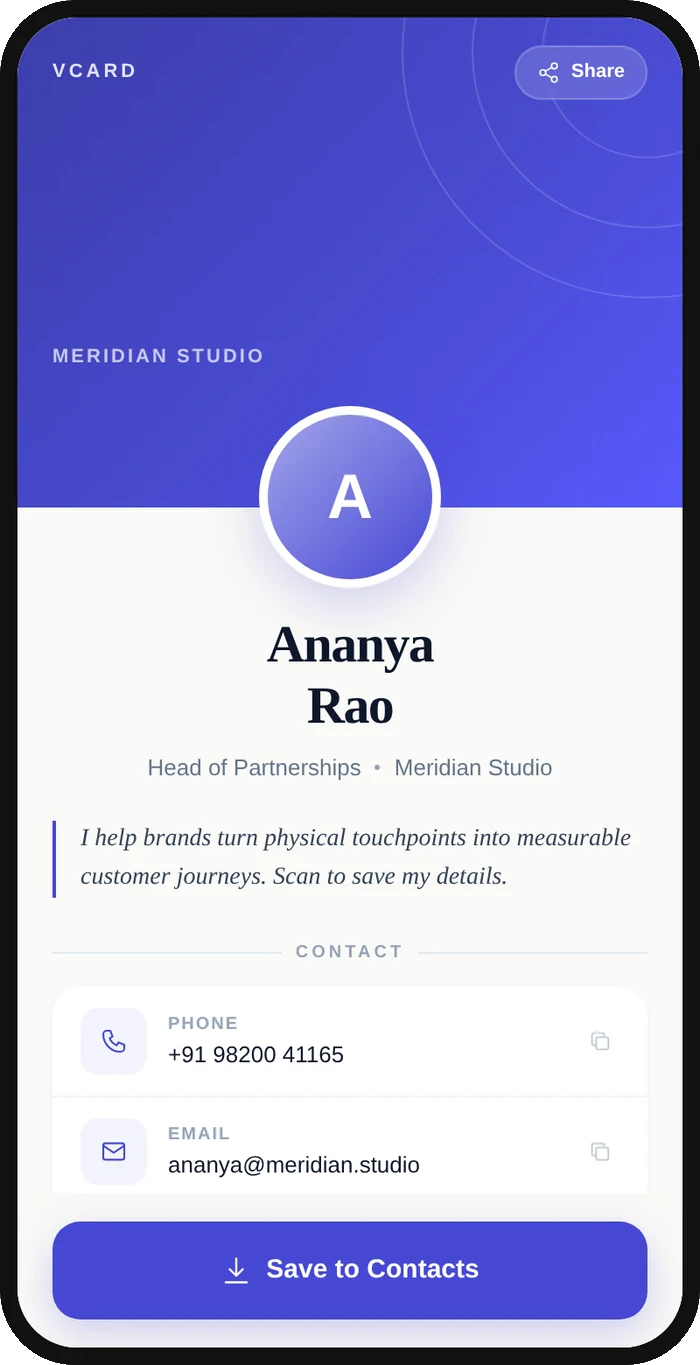
A vCard Plus QR code links to a hosted, branded digital business card page rather than raw contact text. Scanning opens a mobile profile showing your name, title, company, phone, email, address and website, with a one-tap "Save Contact" button that adds you to the phone's address book.
Open a hosted vCard Plus page
This one opens a page Qravio hosts for you — so you can change what people see after the code is printed, and watch every scan land. Start building now, add your email when you want to keep it.
How a vCard Plus QR code works
Instead of stuffing contact text into the static QR, a vCard Plus code points to a short URL hosted by Qravio. When scanned, it loads a styled landing page with your details, a call and email button, and a "Save Contact" action that downloads a .vcf file the phone imports instantly. Because the page is dynamic, you can edit any detail or swap the design later without reprinting the code.
What people see after scanning
The page a vCard Plus QR code opens on a phone. Yours to design — colours, layout and content all change from the builder.
Popular uses
- Sales reps and consultants sharing a tap-to-save contact card on the back of a printed business card
- Conference and event badges that let attendees save your details in one tap
- Email signatures and slide decks with a scannable card so prospects keep your contact info
- Storefront, reception, or trade-show signage that visitors scan to reach the right person
- Real estate agents and recruiters who update phone or title once and keep every printed code current
Why create your vCard Plus QR code with Qravio
One-tap Save Contact
Scanners get a full digital business card with a Save Contact button that writes your name, phone, email and address straight into their phone, far richer than a plain text vCard.
Edit without reprinting
It's a dynamic QR: change your job title, phone number, or website anytime and every already-printed code updates instantly, so a job change never wastes a stack of cards.
See who's scanning
Real-time analytics show scan counts, time, device, and location, so you know which event, card batch, or campaign actually drives connections.
On-brand, no watermark
Pick a template and set your brand color. The QR code carries no watermark on any plan. The card page shows a small 'Powered by Qravio' footer, which Agency white label replaces with your own brand, and custom domains start on Pro.
vCard Plus QR code FAQ
What's the difference between a vCard QR code and vCard Plus?
A basic vCard QR encodes raw contact text directly in the code, so it can't be edited after printing and shows a plain import prompt. vCard Plus links to a hosted, designed landing page with a Save Contact button, scan analytics, and fully editable details.
Can people still save my contact to their phone?
Yes. The landing page has a Save Contact button that generates a standard .vcf file, so iPhone and Android both add your name, phone, email, address and other details to the address book in one tap.
Can I change my details after the QR is printed?
Yes. vCard Plus is a dynamic QR code, so you can update your phone number, title, website, or page design at any time and every existing printed code reflects the change immediately, with no reprint needed.
Is vCard Plus free on Qravio?
Yes. Qravio's free dynamic tier puts no watermark on the QR code and includes real-time scan analytics; you create a vCard Plus code with a free account. The card page shows a small 'Powered by Qravio' footer unless you use Agency white label, and custom domains start on Pro.
Popular use cases
Create your vCard Plus QR code
Free to start. No watermark. Make it dynamic to edit it later and track every scan.