

QR Code for Restaurant Menus
A restaurant menu QR code links each table to your digital menu, so guests scan with their phone camera to browse and order—no app needed. Because it's dynamic, you edit prices, swap seasonal dishes, or mark items as sold out instantly without reprinting a single laminated card.
How QR codes work for restaurant menu
You point the QR code to your menu page (a hosted PDF, a web page, or an ordering link), then print it on table tents, stickers, or the window. When a guest scans it, their phone opens the latest version of your menu instantly. Since the QR is dynamic, the printed code never changes even when you update what's behind it.
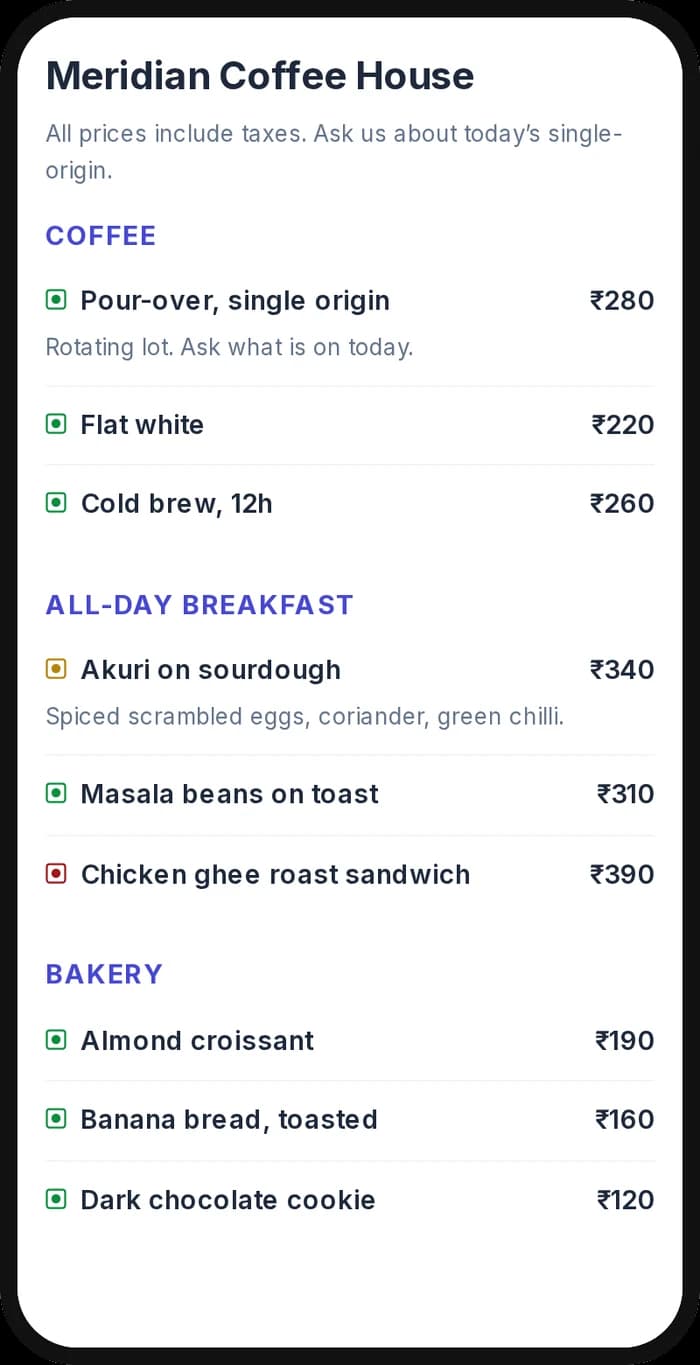
What your restaurant menu QR opens
A real Qravio scan page, shown with demo content. Every part of it is editable after the code is printed.
Make your Restaurant Menu QR code
Build it free below, then create an account to make it dynamic — edit it anytime and track scans.
Set up your Restaurant Menu QR code
- 1Sign in to Qravio and choose a dynamic QR type—use a Website/Link QR for an online menu or a PDF QR to upload your menu file directly.
- 2Set the destination to your menu URL or upload your menu PDF; Qravio hosts it and generates a short scan link.
- 3Customize the landing page with your restaurant name, logo, and brand colors so it feels like part of your venue, not a generic file.
- 4Download the QR as a high-resolution PNG or SVG for crisp printing on table tents, stickers, and posters.
- 5Print and place one QR per table (or on the window for takeaway), then watch scans roll in under Analytics.
Why use a Qravio QR code for restaurant menu
Update prices without reprinting
Raise a price, add a weekend special, or 86 a sold-out dish from your dashboard. The printed table tent stays exactly the same—only the menu behind the code changes, so you never reprint laminated cards again.
Contactless and app-free for guests
Diners scan with their built-in phone camera and the menu opens instantly. No app download, no account, no friction—just a faster path to ordering and fewer sticky shared menus to wipe down between seatings.
See your busiest tables and dishes
Real-time scan analytics show when and how often your menu gets opened, so you can spot peak hours, compare lunch vs. dinner traffic, and judge whether that new table-tent placement actually gets noticed.
Free, with no watermark on the QR
Qravio's dynamic tier is genuinely free with no watermark stamped across your code—so a single-location café or a food truck can launch a professional digital menu without a subscription.
Pro tip
Generate a separate dynamic QR for each table or section (Bar, Patio, Booth 4) so your scan analytics reveal which areas are busiest and when—then use that data to schedule staff and pace your kitchen.
Restaurant Menu QR code FAQ
Do I need to reprint the QR code when I change prices or dishes?
No. Because Qravio menu QR codes are dynamic, the printed code points to a destination you can edit anytime. Change a price, add a seasonal item, or mark something sold out, and every existing table tent shows the update instantly—no reprinting required.
Do my guests need to download an app to view the menu?
No app is needed. Modern phone cameras read QR codes natively, so a guest just points their camera at the table tent and the menu opens in their browser. It works on iPhone and Android without any download or sign-up.
Can I use my existing menu PDF, or do I need a special web page?
Both work. You can upload your existing menu PDF and Qravio will host it behind the QR, or you can point the code at an online menu or ordering page. Either way the same printed QR keeps working if you later switch from PDF to a web menu.
Can I track how often my menu is scanned?
Yes. Qravio gives you real-time scan analytics, including total scans and trends over time. Print a unique code per table or section and you can compare which placements and times of day drive the most menu views.
Create your Restaurant Menu QR code
Free to start. No watermark. Editable and trackable in under a minute.