Multilingual QR Code
A multilingual QR code serves one printed code in more than one language. On Qravio you enable up to 6 of 11 languages on a vCard, vCard Plus, Business profile or Menu page. The page's buttons and labels are translated for each language you enable, and visitors switch between them in a single tap — so you print one code instead of one per language.
Open your live menu, editable any time
This one opens a page Qravio hosts for you — so you can change what people see after the code is printed, and watch every scan land. Start building now, add your email when you want to keep it.
How a Multilingual QR code works
You choose a default language for the page and enable the extra languages you want. Qravio translates the page's own chrome — the Save Contact, Call, Directions and Website buttons, the section headings, the browser tab title — into each enabled language, and you write your own text for each language from the QR's detail page. At scan time the page renders in your default language with a switcher chip for the others, and it can read the visitor's browser language first if you turn that option on. Because the code is dynamic, you can add a language months after the code is printed and every code already in the wild picks it up.
What people see after scanning
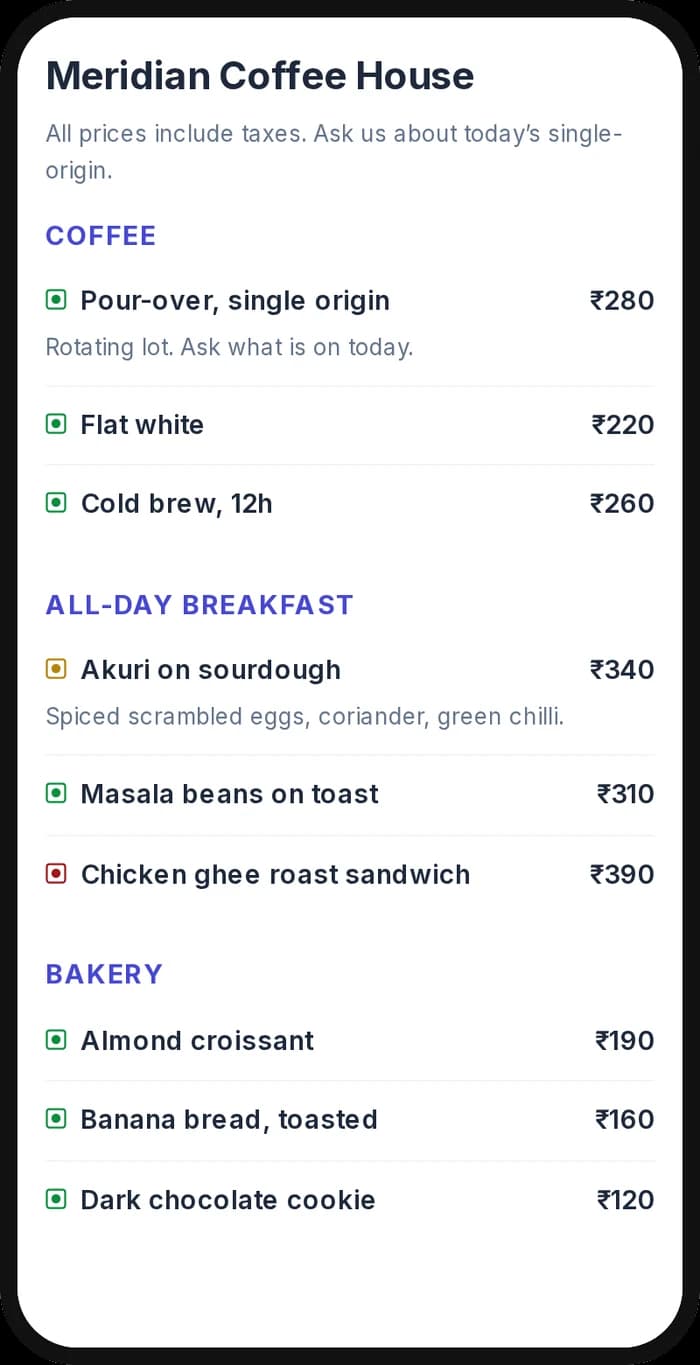
The page a Multilingual QR code opens on a phone. Yours to design — colours, layout and content all change from the builder.
Popular uses
- A restaurant menu printed once that reads in Hindi, Marathi or English depending on who scans it
- A digital business card that shows Tamil to local contacts and English at a conference
- A shop-front business profile written in the language of the neighbourhood, not the language of the software
- Tourist-facing venues that need Chinese, Spanish or French alongside the local language
- Any page that needs two printed codes today, one per language, collapsed into a single code
Why create your Multilingual QR code with Qravio
One code, up to six languages
Enable up to 6 of the 11 supported languages on a single QR code. The cap is the language switcher, not your plan: six chips is what still fits above the fold on a phone without pushing your own content off the screen.
The buttons are translated too
A page where your text is Tamil but every button still says Save Contact looks half-finished. Qravio translates the chrome around your content — buttons, headings, tab title — so the whole page reads as one language.
Your words, not a machine's
Qravio does not machine-translate your content. You write each language yourself, so nothing goes live on your storefront that you did not write — no mistranslated price, allergen note or service claim.
Scripts that render properly
Devanagari, Tamil, Telugu, Bengali and Chinese pages load a matching webfont instead of falling back to whatever the visitor's phone happens to have, so the page looks the same on every device.
Multilingual QR code FAQ
Which QR code types can be multilingual?
vCard, vCard Plus, Business profile and Menu pages — the types where a stranger reads the page. Every other QR type renders English labels whichever language you type your own content in, and the builder tells you so rather than offering a control that does nothing.
Does Qravio translate my content automatically?
No. Qravio translates the page's fixed labels and buttons into each language you enable; the content itself you write per language from the QR's detail page. Nothing about your page is machine-translated, which means nothing you did not write can end up on it.
Which languages are supported?
Eleven: English, Hindi, Tamil, Telugu, Bengali, Marathi, Chinese, Spanish, French, Portuguese and Russian. Right-to-left languages such as Arabic and Urdu are not supported yet — they need a right-to-left layout pass across every template, so we would rather ship them properly than render them broken.
How many languages can one QR code serve?
Up to 6 per code, out of the 11 supported. That limit is about readability rather than pricing — the language switcher shows one chip per enabled language, and more than six wrap past the fold on a typical phone screen.
Does the page detect the visitor's language?
Optionally. Browser-language detection is a toggle that is off by default: the page renders your chosen default language and shows a switcher chip so a visitor can change it in one tap. Turn detection on and the page tries the visitor's browser language first, with the switcher still there to correct a wrong guess.
Create your Multilingual QR code
Free to start. No watermark. Make it dynamic to edit it later and track every scan.