Google Review QR Code
A Google review QR code that adds a feedback-first step: scanning it asks customers to rate their visit, then routes 4-star-and-up ratings straight to your Google review page while lower ratings open a private feedback form instead. You catch problems before they go public, and every customer can still leave a public review if they choose.
Open a hosted Review Funnel page
This one opens a page Qravio hosts for you — so you can change what people see after the code is printed, and watch every scan land. Start building now, add your email when you want to keep it.
How a Google Review QR code works
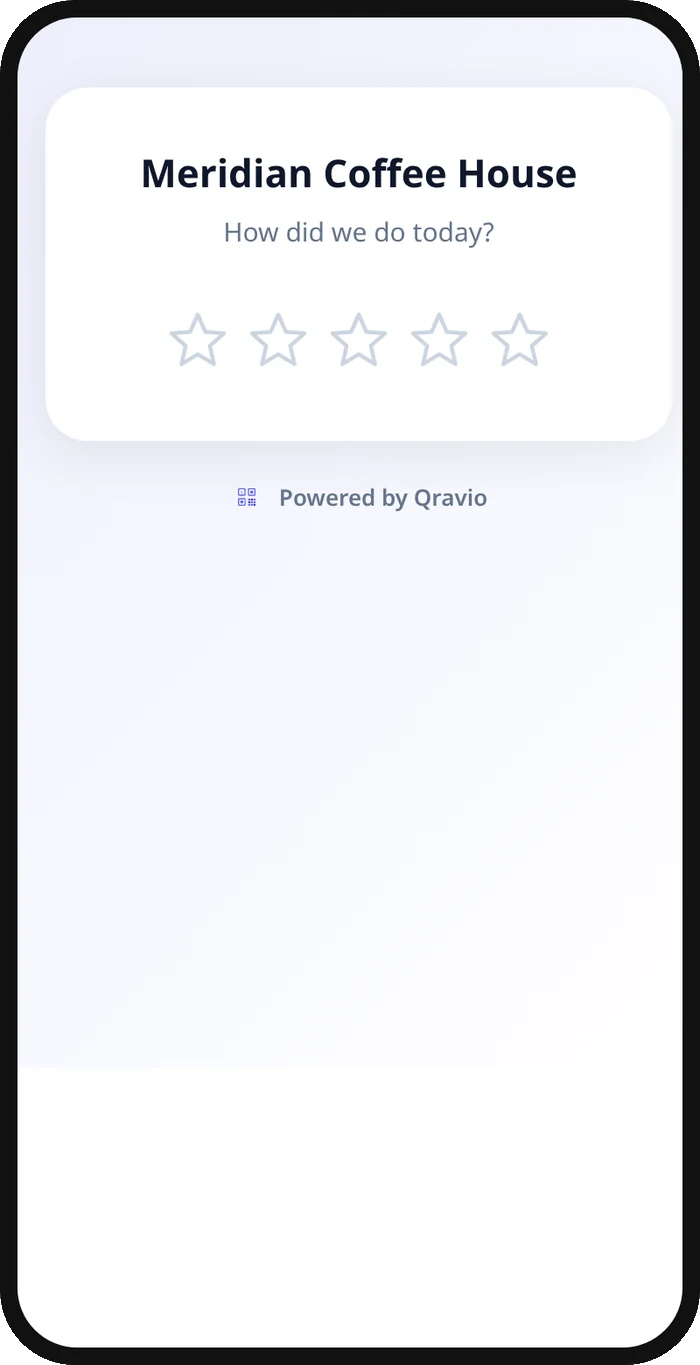
Scanning the code opens a short star-rating prompt, "How was your visit?" by default, though you can change the wording. A rating at or above your chosen threshold (4 stars by default, adjustable from 2 to 5) redirects straight to your Google review page, where the customer posts publicly in their own words. A lower rating instead reveals a short private feedback form, the same field builder used in Qravio's Lead Capture forms, so you hear the specific complaint first. Every feedback submission lands in your Leads dashboard, and the form still shows a "Leave a Google review anyway" link, so no one is ever blocked from posting publicly.
What people see after scanning
The page a Google Review QR code opens on a phone. Yours to design — colours, layout and content all change from the builder.
Popular uses
- Restaurant table tents that ask how the meal was before sending happy diners to Google and catching complaints privately
- Salon and spa checkout counters that route delighted clients to a public review while quietly flagging a cut or color that missed the mark
- Auto shops and service invoices that protect the star rating from a one-off billing gripe while still inviting every satisfied customer to post publicly
- Hotel and short-term rental checkout cards that catch a maintenance or cleanliness complaint before it becomes a public review
- Retail counters and receipts that turn a great purchase experience into a Google review in one tap
Why create your Google Review QR code with Qravio
Feedback-first routing
Ratings at or above your threshold redirect straight to your Google review page. Anything lower opens a private feedback form instead of a public one-star post, so you hear about a problem before every future customer does.
Never blocks a public review
Every feedback form keeps a visible "Leave a Google review anyway" link, no matter what rating was selected, so you stay within Google's review policies while still catching problems early.
Low ratings land in your inbox, not on Google
Private feedback appears in your Leads dashboard immediately, plus an optional email alert, so you can reach an unhappy customer before they consider posting publicly.
Editable and trackable
Change your Google review link, adjust the star threshold, or edit the feedback questions anytime. Track star distribution and the Google-vs-feedback split live from your dashboard.
Google Review QR code FAQ
Does a review funnel QR code stop bad reviews from reaching Google?
No, it never blocks anyone. Every scanner, even one who selects 1 star, still sees a visible "Leave a Google review anyway" link on the private feedback form. What it does is give you the chance to hear about a problem first and fix it, instead of finding out from a public post.
How does Qravio decide who gets sent to Google?
You set a star threshold, 4 stars by default, adjustable from 2 to 5. Customers who rate at or above it are redirected straight to your Google review page; anyone below it sees a short private feedback form instead.
Where do the private feedback submissions go?
Every submission appears in your Leads dashboard in real time, and you can add a notify email to get alerted the moment a customer leaves lower-rating feedback, so you can follow up quickly.
Is a review funnel QR code allowed under Google's review policies?
Yes, when set up honestly. Google prohibits blocking or discouraging negative reviews, and Qravio's feedback form always keeps a working link to leave a public review regardless of the star rating selected, so no customer is ever gated out.
Create your Google Review QR code
Free to start. No watermark. Make it dynamic to edit it later and track every scan.