

Coupon QR Code Generator
A coupon QR code encodes a short link that, when scanned, opens a hosted mobile offer page showing your discount, promo code, expiry date, and redemption terms. Because it is dynamic, you can change the deal, update the expiry, or pause the campaign anytime without reprinting, while every scan and redemption is tracked.
Open a hosted Coupon page
This one opens a page Qravio hosts for you — so you can change what people see after the code is printed, and watch every scan land. Start building now, add your email when you want to keep it.
How a Coupon QR code works
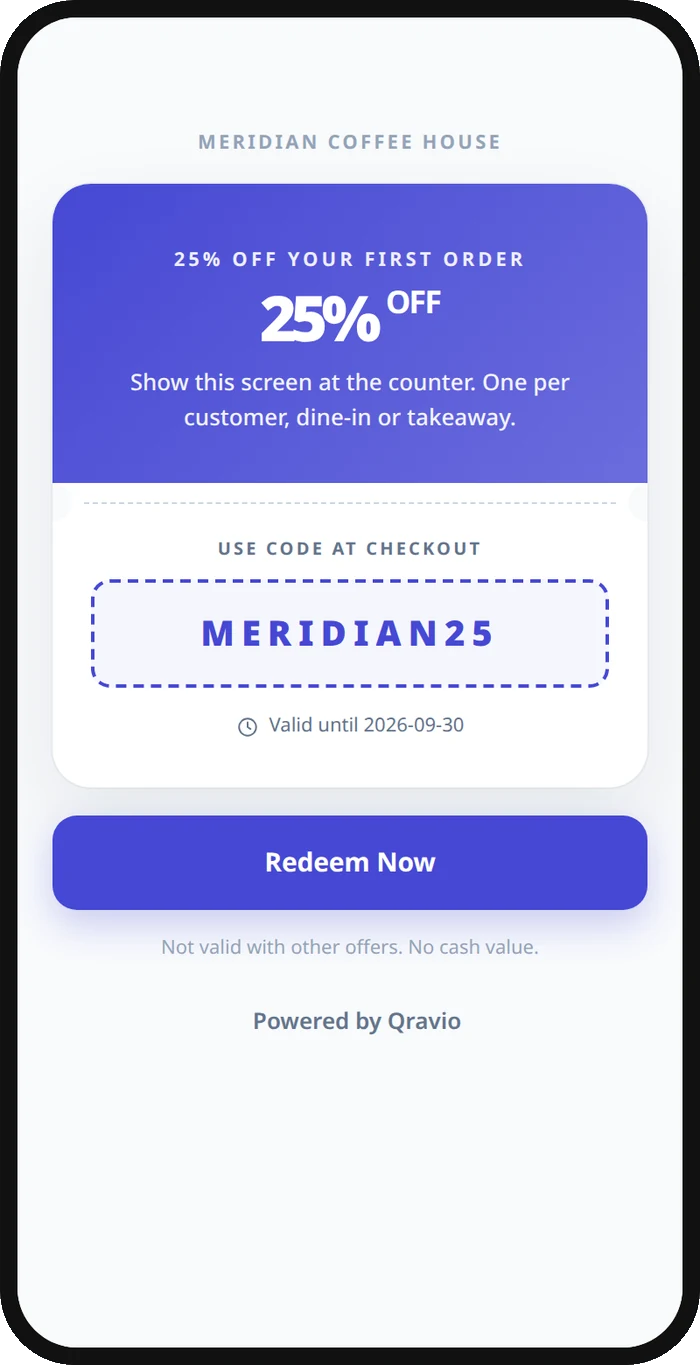
The QR stores a fixed short URL pointing to a coupon page Qravio hosts for you, so the printed code never changes. When a customer scans it, their phone opens a branded page with the offer details, promo code, and a redeem button. You edit the discount, expiry, or terms in your dashboard and the live page updates instantly.
What people see after scanning
The page a Coupon QR code opens on a phone. Yours to design — colours, layout and content all change from the builder.
Popular uses
- Print a percentage-off coupon on flyers, receipts, or table tents that staff scan to apply at checkout
- Run a limited-time launch offer where you flip the expiry date or pause it once stock runs out
- Add a first-order discount code to packaging inserts so new customers redeem it on their phone
- Place a loyalty coupon on in-store signage and track how many scans actually convert to redemptions
- Distribute an event or trade-show promo where the same printed code is reused across multiple campaigns
Why create your Coupon QR code with Qravio
Change the offer without reprinting
The printed coupon code is fixed, but the deal behind it is not. Update the discount, swap the promo code, or extend the expiry from your dashboard and the live page reflects it instantly across every printed copy.
See real redemption data
Every scan is logged with time, location, and device, so you know which flyer, store, or channel drives redemptions instead of guessing how a paper coupon performed.
Set expiry and pause campaigns
Schedule an end date or deactivate the coupon the moment a promotion ends, so expired offers never get honored by mistake and you stay in control of every active deal.
Free and unbranded
Generate a fully working dynamic coupon QR on Qravio's free tier with no watermark on the code. The offer page shows a small 'Powered by Qravio' footer, which Agency white label replaces with your own brand.
Coupon QR code FAQ
Can I change the discount after printing the coupon QR code?
Yes. Coupon QR codes on Qravio are dynamic, so the printed code points to a hosted page you control. Update the discount amount, promo code, expiry, or terms anytime and every printed coupon shows the new offer instantly, with no need to reprint.
How do I track how many people redeemed the coupon?
Qravio logs every scan with timestamp, approximate location, and device type in real time. You can see which campaign or location drove the most scans, helping you measure redemption performance far more accurately than a traditional paper coupon.
Can I set an expiry date so the coupon stops working?
Yes. You can schedule an end date or pause the coupon manually from your dashboard. Once a promotion ends, the offer page can stop showing the deal, so expired coupons are not accidentally honored.
Is the coupon QR code generator free?
Yes. Qravio's free tier lets you create a fully functional dynamic coupon QR code with no watermark, real-time scan analytics, and editable offer details. You only need a free account because dynamic codes are hosted and trackable.
Popular use cases
Create your Coupon QR code
Free to start. No watermark. Make it dynamic to edit it later and track every scan.