

List of Links QR Code
A list of links QR code is a dynamic code that opens a hosted, mobile-friendly landing page showing multiple tappable link buttons instead of redirecting to one URL. On scan, visitors choose where to go: your website, socials, menu, booking, or shop. Because it's dynamic, you can add, reorder, and edit links anytime after printing.
Open a hosted List of links page
This one opens a page Qravio hosts for you — so you can change what people see after the code is printed, and watch every scan land. Start building now, add your email when you want to keep it.
How a List of Links QR code works
When someone scans the code, Qravio serves a lightweight landing page listing every link you added, each as a labeled button. Tapping a button forwards the visitor to that destination and records the click. The QR image never changes, so you can rename, reorder, swap, or remove links on the live page at any time.
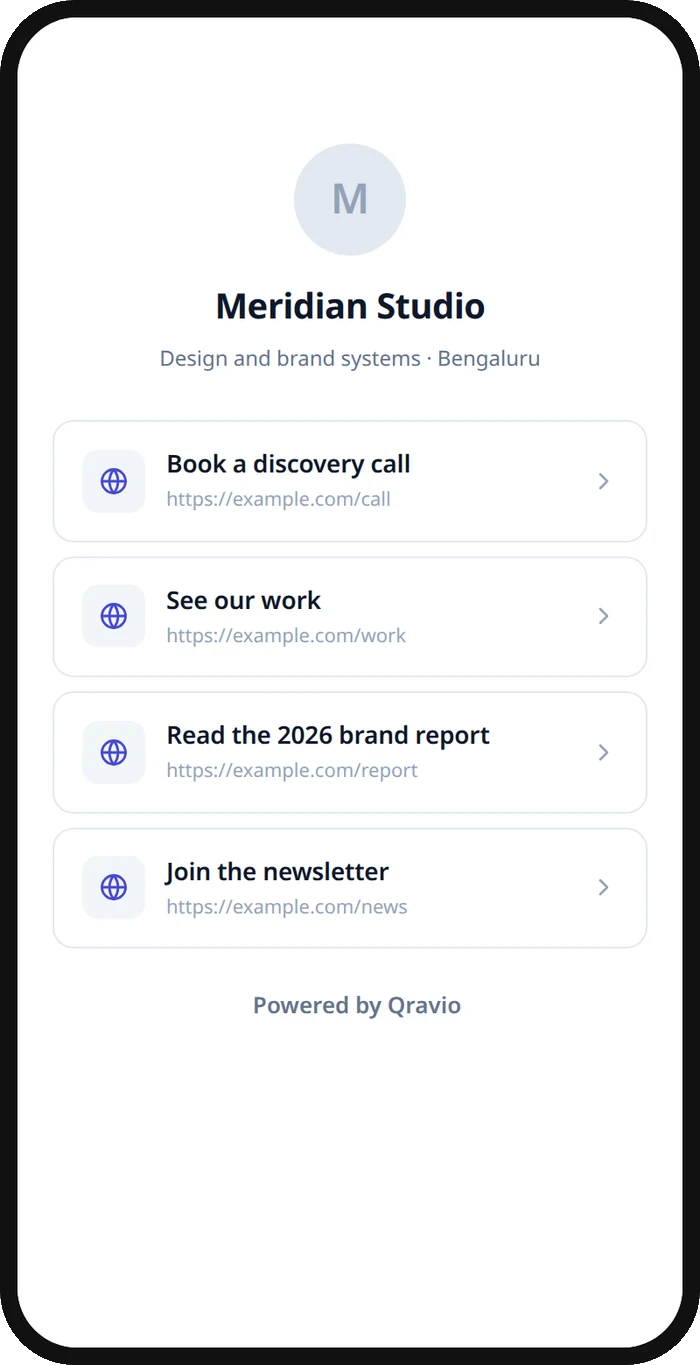
What people see after scanning
The page a List of Links QR code opens on a phone. Yours to design — colours, layout and content all change from the builder.
Popular uses
- A restaurant table tent linking to the menu, reservations, reviews, and Instagram from one scan
- An influencer or creator's link-in-bio page on printed merch, packaging, or event banners
- A real estate sign listing the virtual tour, floor plans, mortgage calculator, and agent contact
- A conference badge or flyer routing attendees to the agenda, slides, feedback form, and socials
- A product package giving buyers quick access to setup guides, warranty, support, and reorder links
Why create your List of Links QR code with Qravio
One scan, many destinations
Instead of choosing a single URL, your audience lands on a clean page of buttons and picks exactly what they need, cutting friction for menus, socials, and offers.
Editable after it's printed
It's a dynamic code, so you can add, rename, reorder, or remove links on the live landing page whenever you like. The printed QR keeps working without a reprint.
Per-link scan analytics
See total scans plus which buttons people actually tap. Qravio's real-time analytics reveal what your audience cares about so you can prioritize the right links.
Genuinely free and unbranded
Build your list of links QR on Qravio's free tier, with no watermark on the code. The page it opens shows a small 'Powered by Qravio' footer, which Agency white label replaces with your own brand. Custom domains start on Pro.
List of Links QR code FAQ
Can I edit the links after printing the QR code?
Yes. A list of links QR code is dynamic, so the printed image stays fixed while the landing page behind it stays editable. You can add new buttons, rename or reorder them, change destinations, or remove links anytime, and every previously printed code instantly serves the updated list with no reprint.
How is this different from a regular website QR code?
A website QR redirects to one single URL. A list of links QR opens a hosted landing page with multiple buttons, letting visitors choose among several destinations like your menu, socials, booking, and shop from a single scan.
Can I track which links people tap?
Yes. Qravio records total scans and per-link clicks in real time, so you can see which buttons get the most taps and reorder or refine your list based on what your audience actually uses.
Do I need an account to create one?
Yes, a free Qravio account is required because this is a dynamic, editable QR type. The free tier includes no-watermark codes, an editable landing page and scan analytics, with no charge to get started. Custom domains start on Pro.
Create your List of Links QR code
Free to start. No watermark. Make it dynamic to edit it later and track every scan.