QR Code for Salon & Spa Google Reviews
A salon or spa Google reviews QR code lets a client rate their visit right at checkout, then routes a happy rating straight to your Google review page while a lower one opens a private feedback form instead of a public complaint about a cut, color, or treatment. Place it at the mirror station or front desk, right when the client can still see the result.
How QR codes work for salon & spa google reviews
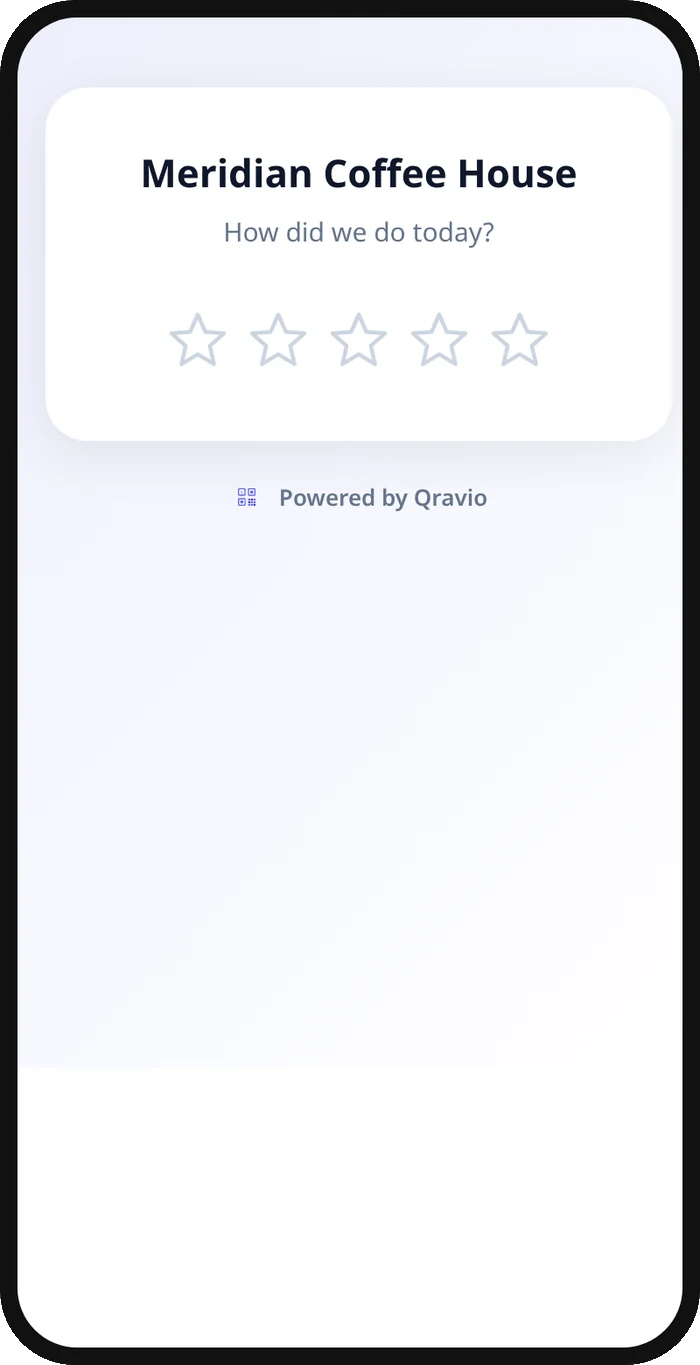
A simple link QR sends every scanner straight to your Google review page. Qravio's Review Funnel adds a quick star-rating step first: a client who loves their new style rates it highly and is redirected to Google in the same tap, while a client who isn't happy sees a short private form asking what went wrong, so your stylist or the owner hears about it directly instead of finding out from a public post the next day.
What your salon & spa google reviews QR opens
A real Qravio scan page, shown with demo content. Every part of it is editable after the code is printed.
Make your Salon & Spa Google Reviews QR code
Build it free below, then create an account to make it dynamic — edit it anytime and track scans.
Set up your Salon & Spa Google Reviews QR code
- 1Copy your salon's Google review link from your Business Profile.
- 2Build a free static QR below that opens the link directly, ready to place at checkout today.
- 3Create a free Qravio account when you want the feedback-first Review Funnel instead of a plain link.
- 4Set the star threshold and write a short question for the private feedback form, such as "What could we do better?"
- 5Print the code for the mirror station, reception desk, or receipt, and add a short prompt like "Loved your look? Tell Google."
Why use a Qravio QR code for salon & spa google reviews
Catch a bad cut before it's public
A client who isn't happy with a color or cut gets a private feedback form instead of a public star rating, so the stylist or owner can make it right before it becomes a permanent review.
Happy clients still post in seconds
A client who loves the result rates highly and is redirected straight to your Google review page in the same tap, right while they're still looking in the mirror.
Every complaint lands in your inbox
Private feedback appears in your Leads dashboard immediately, with an optional email alert, so you can follow up with an unhappy client the same day.
Nobody is ever gated out
The feedback form always keeps a visible link to leave a public Google review anyway, so you stay within Google's policies while still hearing about problems first.
Pro tip
Give each stylist or chair its own Review Funnel QR code so your star-distribution analytics show exactly whose clients are happiest, not just an average for the whole salon.
Salon & Spa Google Reviews QR code FAQ
Where's the best spot for the QR code in a salon?
At the mirror station right after the service, or at the front desk during checkout, both moments when the client can see the finished result and is about to pay.
Does it stop a client from leaving a bad Google review?
No. A client can always tap through to Google from the private feedback form. It just means you also hear the specific complaint, like a color that didn't turn out as expected, before or alongside any public post.
Can stylists have their own QR code?
Yes. Create a separate Review Funnel QR per stylist or chair so you can see which reviews and which feedback are tied to a specific person, not just the salon as a whole.
Is the plain Google review link free?
Yes, the simple static link QR below is free with no signup. The feedback-first Review Funnel QR, with the star rating and private form, is on Qravio's Starter plan and above.
Create your Salon & Spa Google Reviews QR code
Free to start. No watermark. Editable and trackable in under a minute.