

QR Code for Salons & Spas
A salon QR code lets clients scan to book an appointment, browse your service menu and prices, tip, or leave a review—straight from the mirror station, the reception desk, or a flyer. Because it's dynamic, you update a price or a new treatment once and every printed code reflects it instantly.
How QR codes work for salon & spa
You point the QR at your online booking page, a digital price list, or a link hub with all your client links, then print it on mirror stickers, reception signage, appointment cards, and flyers. A scan opens the current page on the client's phone, so raising a price or adding a service never means reprinting your menu.
What your salon & spa QR opens
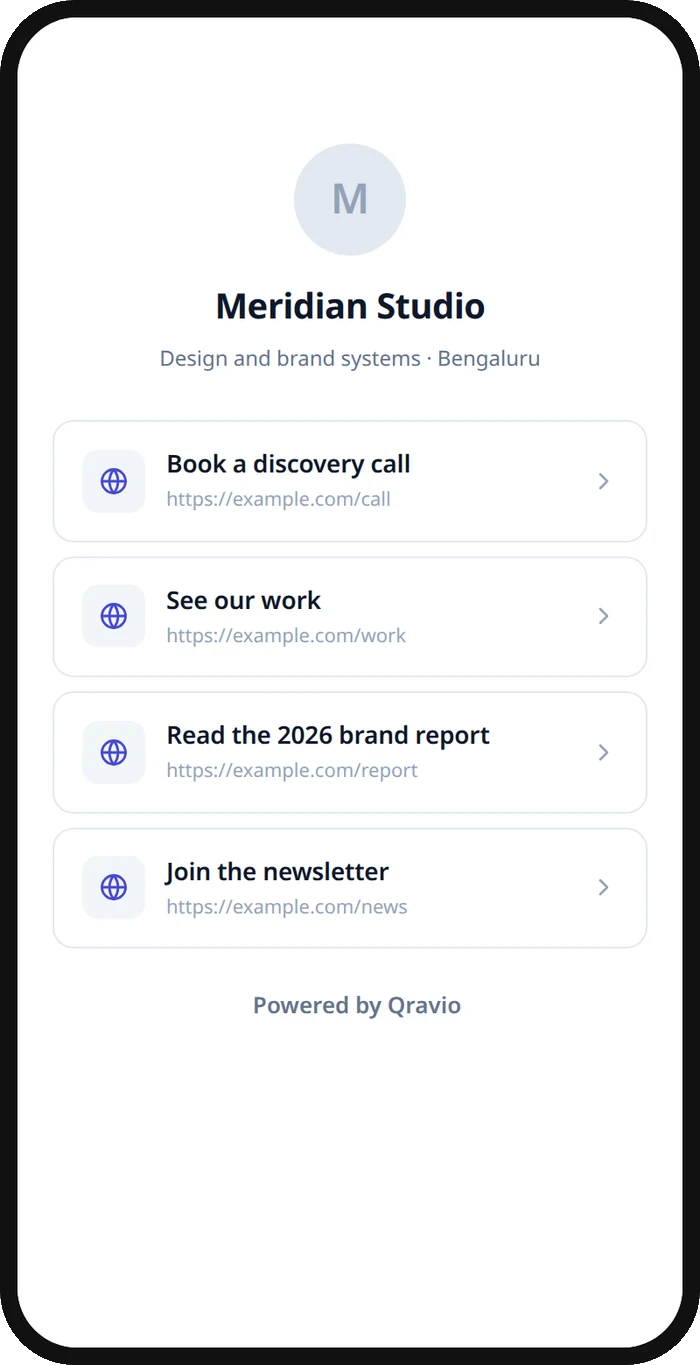
A real Qravio scan page, shown with demo content. Every part of it is editable after the code is printed.
Make your Salon & Spa QR code
Build it free below, then create an account to make it dynamic — edit it anytime and track scans.
Set up your Salon & Spa QR code
- 1Sign in to Qravio and create a dynamic QR pointing to your booking page, price list, or a link hub of client links.
- 2Add what clients act on: book or rebook an appointment, view the service menu and prices, leave a review, or follow you on social.
- 3Customize the landing page with your salon's logo and brand colors so it feels as polished as your space.
- 4Download a high-resolution PNG or SVG and print it on mirror stickers, reception signs, appointment cards, and flyers.
- 5Place codes where clients wait and pay, and update services or prices anytime from your dashboard.
Why use a Qravio QR code for salon & spa
Turn a finished appointment into the next booking
A code at the mirror or checkout lets a happy client rebook on the spot before they leave. Capturing the next appointment while they're still glowing beats hoping they'll remember to call next month.
Update prices and services instantly
Raise a price, add a new treatment, or retire a service in your dashboard and every mirror sticker and reception code shows it at once. You never reprint a laminated price list because one service changed.
Grow your reviews and social following
Point clients to your Google review page or Instagram with one scan while they're happiest—right after the appointment. It's the easiest moment to turn a great result into a five-star review or a new follower.
Free and watermark-free
Qravio's dynamic tier is genuinely free with no watermark on your code, so an independent stylist or a single-chair studio can add professional booking and review codes without a subscription.
Pro tip
Place a 'rebook now' code at each mirror station and a 'leave a review' code at checkout—your scan analytics will show which prompt clients act on most, so you can lean into whatever grows your calendar fastest.
Salon & Spa QR code FAQ
Can clients book an appointment by scanning the code?
Yes. Point the QR at your online booking page and a client scans to book or rebook from their own phone in seconds. Placing it at the mirror or checkout captures the next appointment while the client is happy and still in your chair.
Can I update my price list after printing?
Yes. The code is dynamic, so editing your price list or services in Qravio updates instantly behind every printed code. Raise a price or add a treatment once and your mirror stickers, reception signs, and flyers all reflect it—no reprinting.
How do I use it to get more reviews?
Point a code at your Google or Yelp review page and present it right after the appointment, when clients are most satisfied. Scanning takes them straight to the review form on their phone, removing the friction that stops happy clients from leaving feedback.
Do clients need an app to scan?
No. iPhone and Android cameras read QR codes natively, so a client points their phone and taps the link that appears. There's nothing to download, which keeps booking or leaving a review to just a couple of taps.
Create your Salon & Spa QR code
Free to start. No watermark. Editable and trackable in under a minute.