

QR Code for Your Resume / CV
A resume QR code lets a recruiter scan your CV and instantly save your contact details, open your portfolio, or view your LinkedIn—no retyping your email from a printout. Because it's dynamic, you can update your phone number or link a new project after you've already sent the PDF.
How QR codes work for resume / cv
You link the QR to a vCard contact card, your portfolio, or a link hub, then place it in your resume header or footer. A recruiter scans with their phone camera and saves you as a contact or opens your work in one tap—and because the code is dynamic, you can update where it points even after the resume is printed or emailed.
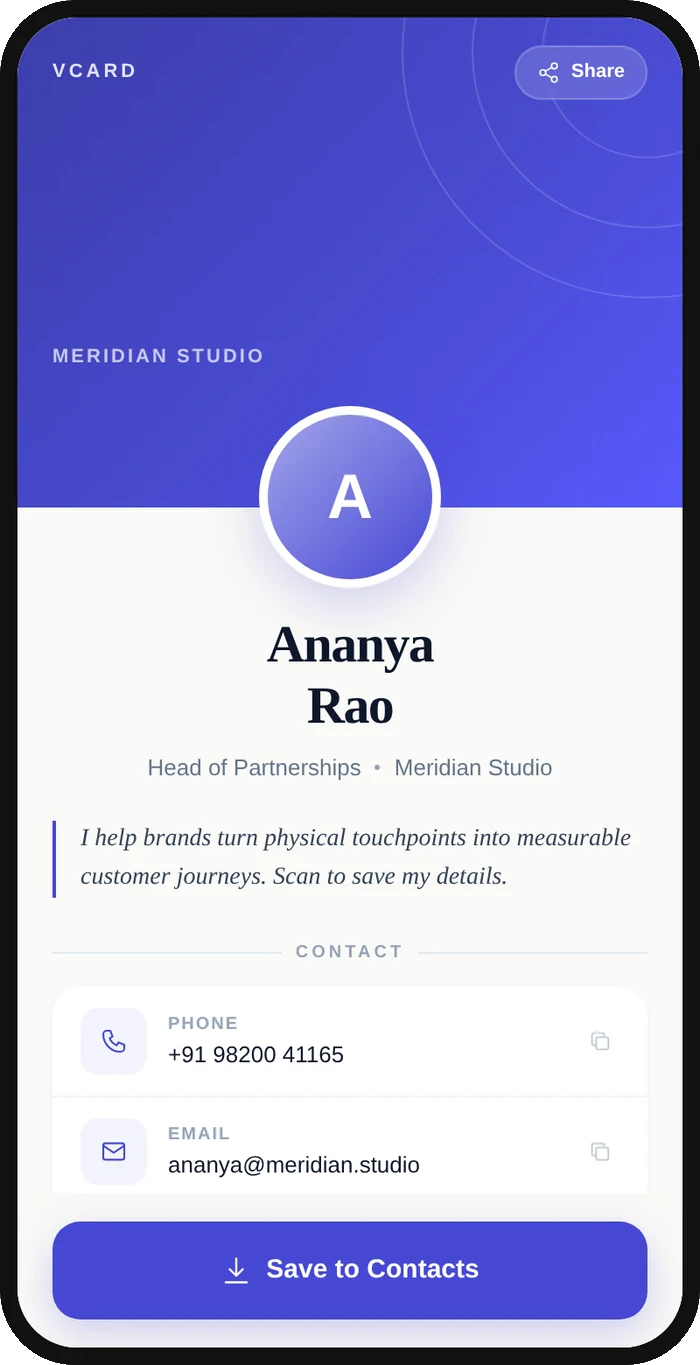
What your resume / cv QR opens
A real Qravio scan page, shown with demo content. Every part of it is editable after the code is printed.
Make your Resume / CV QR code
Build it free below, then create an account to make it dynamic — edit it anytime and track scans.
Set up your Resume / CV QR code
- 1Sign in to Qravio and create a QR—use the vCard type to save your contact instantly, or a link hub for contact plus portfolio and LinkedIn.
- 2Enter your details: name, title, phone, email, LinkedIn, and a link to your portfolio or work samples.
- 3Customize the QR with a clean color that matches your resume design so it looks intentional, not tacked on.
- 4Download a high-resolution PNG or vector SVG sized to sit neatly in your resume header or footer.
- 5Add it to your resume, test a scan before you send or print, and update your details anytime from your dashboard.
Why use a Qravio QR code for resume / cv
Recruiters save you in one tap
A scan offers a pre-filled contact card with your name, phone, and email, so your details land in the recruiter's phone without a single typo. You're a saved contact before they move to the next candidate in the stack.
Show your work, not just describe it
Link your portfolio, GitHub, or a case study behind the code so a recruiter can see real work in a tap. It's the difference between claiming a skill on paper and letting them experience the proof immediately.
Update after you've sent the PDF
Get a new number, finish a new project, or update your LinkedIn and just edit the destination in Qravio. Every copy of your resume already emailed or printed now points to your latest details—no resending.
Know when you're being reviewed
Scan analytics show when your resume QR is scanned, giving you a quiet signal that a recruiter is actively looking at your application—useful timing for a well-placed follow-up note.
Pro tip
Label the code with a short instruction like 'Scan to save my contact & portfolio' so recruiters know exactly what they'll get, and check scan analytics after applying to time your follow-up when interest is highest.
Resume / CV QR code FAQ
What should a resume QR code link to?
The most useful options are a vCard contact card so recruiters save you in one tap, or a link hub combining your contact, portfolio or GitHub, and LinkedIn. Pick whatever moves your application forward fastest—usually a mix of easy contact and proof of your work.
Can I update my resume QR code after applying?
Yes. A Qravio code is dynamic, so it points to a destination you can edit anytime. Change your phone number, swap in a new portfolio piece, or update your LinkedIn and every resume you've already sent now leads to your current details—no need to resend the file.
Will a QR code look unprofessional on my resume?
Not when it's clean and purposeful. Keep it small in the header or footer, match its color to your design, and label it clearly ('Scan to save my contact'). Done well it signals that you're current and tech-comfortable, which many recruiters read as a plus.
Can I see if a recruiter scanned it?
Yes. Qravio's scan analytics show when and how often your resume code is scanned. While it won't name the recruiter, a scan is a useful signal that your application is being actively reviewed—handy for timing a polite follow-up.
Create your Resume / CV QR code
Free to start. No watermark. Editable and trackable in under a minute.