

QR Code for Gyms & Fitness Studios
A gym QR code turns any wall, mirror, or flyer into a one-scan link to your class schedule, membership signup, liability waiver, or personal-training booking. Because it's dynamic, you update this week's timetable or a new intro offer once and every printed code reflects it instantly—no reprinting the front-desk sign.
How QR codes work for gym & fitness studio
You point the QR to whatever you want members to reach—your live class schedule, a membership signup form, a digital waiver, or a link hub with all of them—then print it on window decals, mirror clings, flyers, and membership cards. A scan opens the current version on the member's phone, so a schedule change never means reprinting.
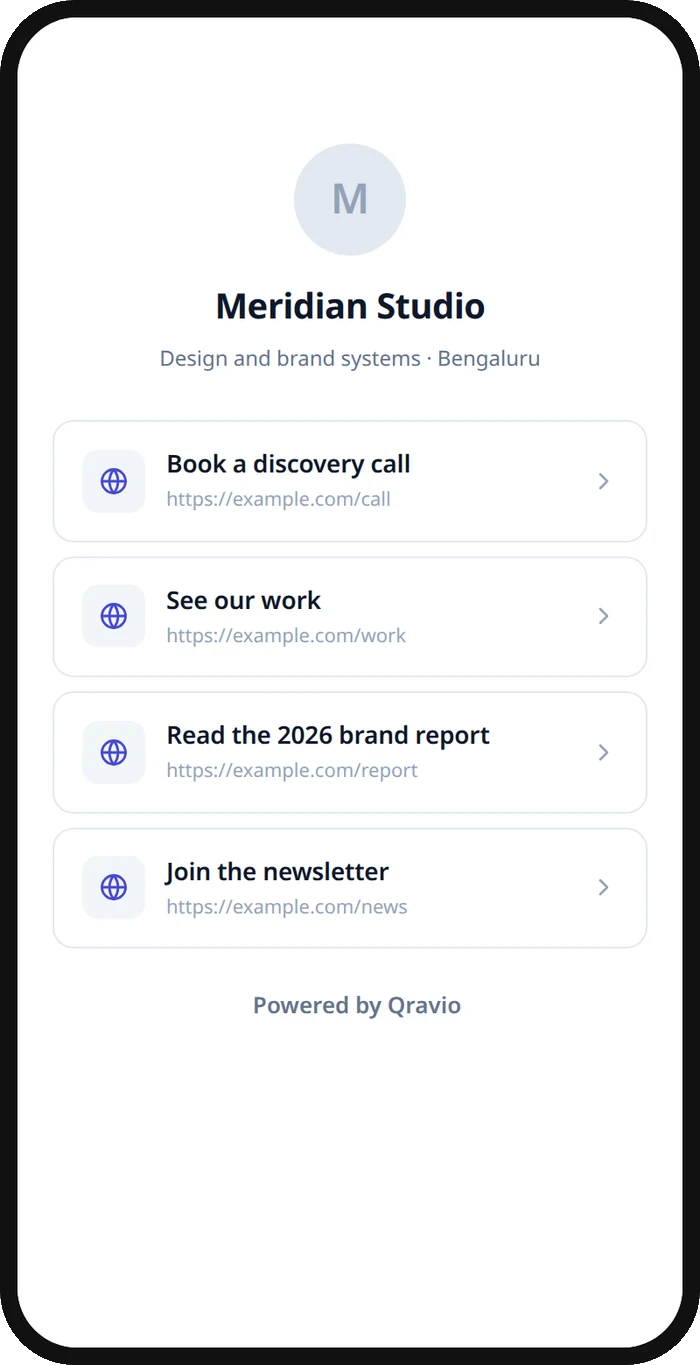
What your gym & fitness studio QR opens
A real Qravio scan page, shown with demo content. Every part of it is editable after the code is printed.
Make your Gym & Fitness Studio QR code
Build it free below, then create an account to make it dynamic — edit it anytime and track scans.
Set up your Gym & Fitness Studio QR code
- 1Sign in to Qravio and create a dynamic QR pointing to your class schedule, signup page, or a link hub with all your member links.
- 2Add the actions members take most: view this week's timetable, book a class or PT session, sign the waiver, or start a membership.
- 3Customize the landing page with your studio's logo and brand colors so the experience feels on-brand from the scan onward.
- 4Download a high-resolution PNG or SVG and print it on window decals, mirror clings, flyers, and the back of membership cards.
- 5Place codes where members pause—the front desk, the mirror wall, the locker room—and update destinations anytime from your dashboard.
Why use a Qravio QR code for gym & fitness studio
Always-current schedule, never reprinted
Swap a canceled spin class or add a new bootcamp slot in your dashboard and the printed front-desk code shows it instantly. Members always scan the live timetable instead of a laminated sheet that's a week out of date.
Turn walk-ins into signups on the spot
Point the code at your membership or free-trial form so a curious walk-in can join before they leave the front desk. Removing the 'go home and sign up later' step captures members while their motivation is highest.
Collect waivers before the first workout
Link to a digital liability waiver so new members sign on their own phone at check-in. No clipboards, no paper to file, and no one steps on the floor without a completed waiver on record.
See what members actually use
Real-time scan analytics show whether members reach for the schedule, the booking link, or the trial offer, and when. Use it to judge which promos and placements are pulling their weight.
Pro tip
Put a QR on the mirror wall linking straight to class booking—members scan mid-workout when they're motivated to lock in the next session, and your analytics will show you which classes fill fastest.
Gym & Fitness Studio QR code FAQ
Can I update my class schedule after printing the QR code?
Yes. Qravio codes are dynamic, so the printed code points to a destination you edit anytime. Change this week's timetable, cancel a class, or add a new slot and every code on your windows, mirrors, and cards shows the update instantly—no reprinting.
Can members sign up for a membership by scanning?
Absolutely. Point the QR at your membership or free-trial signup form and a member can join from their own phone in seconds. It's the fastest way to convert a walk-in or a curious guest before they leave the building.
Can I link to more than one thing—schedule, booking, and waiver?
Yes. Use a link-hub page behind a single code so one scan offers your schedule, class booking, waiver, and membership signup as tidy buttons. Members pick what they need instead of scanning several different codes around the gym.
Do members need an app to scan the code?
No. iPhone and Android cameras read QR codes natively, so a member just points their phone and taps the link. There's nothing to download, which keeps signing a waiver or booking a class to a couple of taps.
Create your Gym & Fitness Studio QR code
Free to start. No watermark. Editable and trackable in under a minute.