QR Code for Clinic & Dental Google Reviews
A clinic or dental practice Google reviews QR code lets a patient rate their visit at checkout, sending a happy rating straight to your Google review page while a lower one opens a private feedback form about wait times, billing, or staff instead of a public complaint. It gives your front desk a way to hear concerns directly, without ever blocking a patient who wants to post publicly.
How QR codes work for clinic & dental google reviews
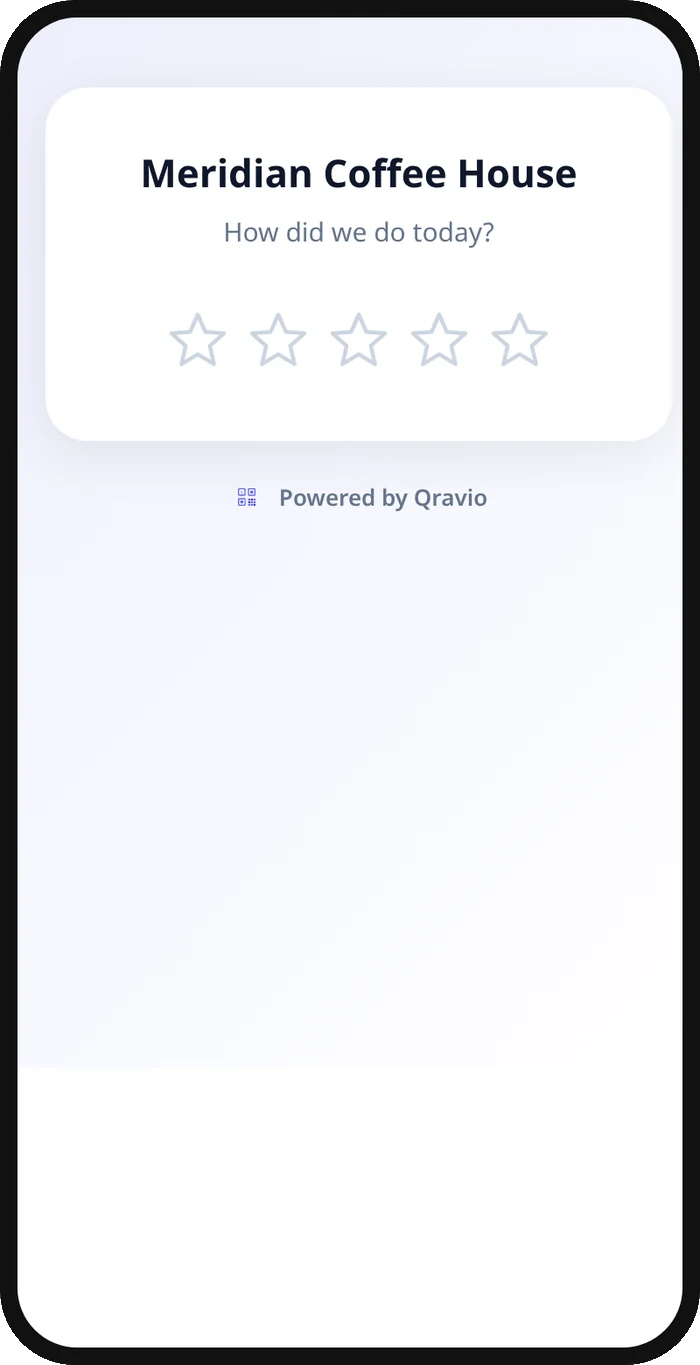
A plain link QR opens your Google review page directly for every scanner. Qravio's Review Funnel adds a short rating step first: patients who had a good visit rate it highly and land on Google immediately, while patients with a concern, a long wait, a billing question, an unclear explanation, see a private feedback form instead, so your practice manager hears about it and can follow up before it turns into a public review.
What your clinic & dental google reviews QR opens
A real Qravio scan page, shown with demo content. Every part of it is editable after the code is printed.
Make your Clinic & Dental Google Reviews QR code
Build it free below, then create an account to make it dynamic — edit it anytime and track scans.
Set up your Clinic & Dental Google Reviews QR code
- 1Copy your practice's Google review link from your Business Profile.
- 2Build a free static QR below pointing straight to it, ready to place at check-out today.
- 3Create a free Qravio account to switch to the feedback-first Review Funnel QR type.
- 4Set your star threshold and a short private-feedback question, such as "What could we improve?"
- 5Print it for the front desk, checkout counter, or after-visit summary, and keep the prompt simple: "How did we do today?"
Why use a Qravio QR code for clinic & dental google reviews
Hear concerns before they're public
A patient unhappy with a wait time, a bill, or an explanation gets a private form instead of a public star rating, giving your practice manager a chance to follow up directly.
Satisfied patients still post easily
A patient who had a good visit rates it highly and is redirected straight to your Google review page in the same tap, right at checkout while it's still top of mind.
Feedback reaches the right person
Every private submission appears in your Leads dashboard, with an optional email alert to your practice manager, so nothing sits unread in a suggestion box.
No one is filtered out of leaving a review
The private feedback form always keeps a visible link to leave a public Google review anyway, so the QR code stays within Google's review policies for every patient.
Pro tip
Keep the private feedback question broad, like "What could we improve?", rather than asking about a specific clinical outcome, so patients feel comfortable sharing operational concerns like wait times or billing without it reading as a medical complaint form.
Clinic & Dental Google Reviews QR code FAQ
Is it appropriate to ask patients to rate their visit?
Yes, as long as every patient can still post a public review if they choose. Qravio's feedback form always keeps a visible "Leave a Google review anyway" link, so the code invites feedback without ever gating who gets to post.
Where should the QR code go in a clinic or dental office?
Checkout counters and after-visit summary printouts work well, since the patient is already finishing up and the visit is fresh, without interrupting clinical time.
Can I ask about specific things like wait time or billing?
Yes. Customize the private feedback form's question to whatever matters most to your practice, such as "What could we improve?" or a specific prompt about scheduling or billing.
Do I need a paid plan for the feedback-first version?
The plain link QR below is free with no signup. The full Review Funnel QR, with the rating step and private feedback form, is included on Qravio's Starter plan and above.
Create your Clinic & Dental Google Reviews QR code
Free to start. No watermark. Editable and trackable in under a minute.