

QR Code for Car Dealerships
A car dealership QR code lets a shopper on the lot scan a window sticker to see full specs, photos, a video walkaround, financing options, or book a test drive—without waiting for a salesperson. Because it's dynamic, you update the price or mark a vehicle sold once and the code reflects it instantly.
How QR codes work for car dealership
You point each vehicle's QR at its detail page—specs, gallery, walkaround video, pricing, and a test-drive or finance form—then print it on the window sticker or a lot placard. When a shopper scans with their phone camera, the current listing opens instantly, so a price drop or a sold sticker never means reprinting the sheet.
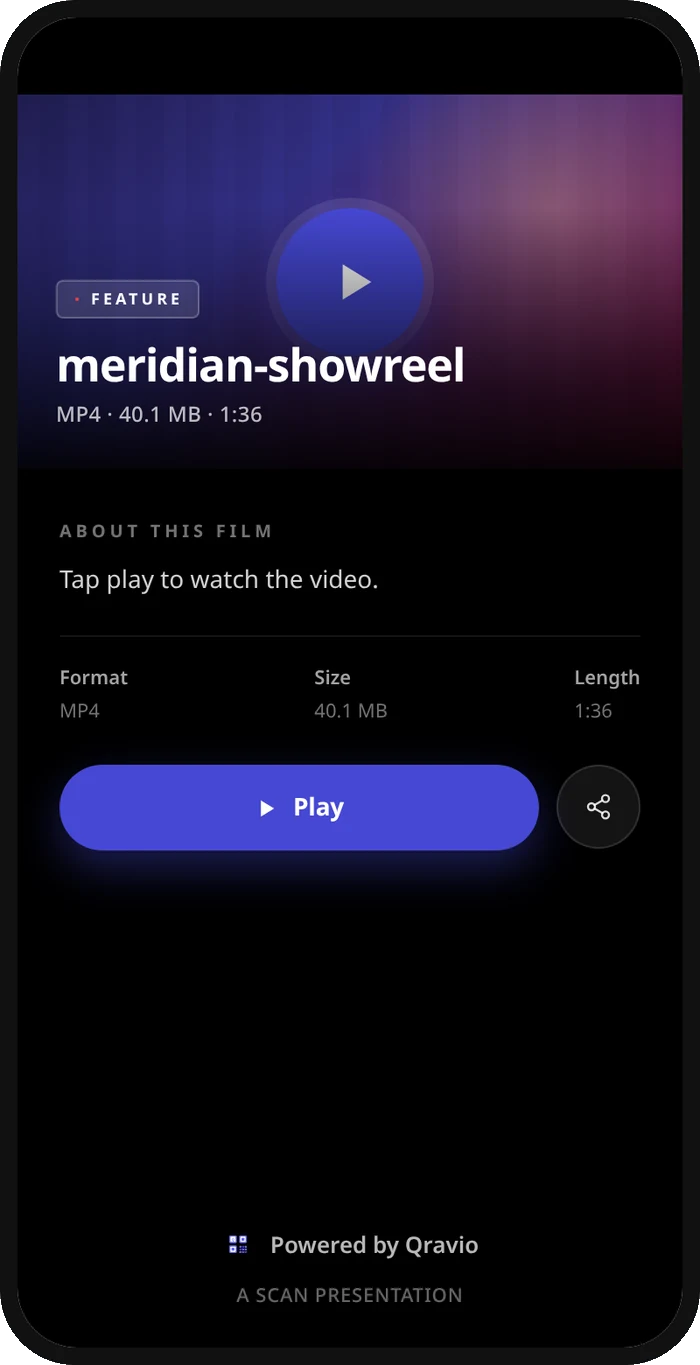
What your car dealership QR opens
A real Qravio scan page, shown with demo content. Every part of it is editable after the code is printed.
Make your Car Dealership QR code
Build it free below, then create an account to make it dynamic — edit it anytime and track scans.
Set up your Car Dealership QR code
- 1Sign in to Qravio and create a dynamic QR for each vehicle, pointing to its detail page or listing.
- 2Add what buyers want to see: specs, photo gallery, a walkaround video, pricing, and a test-drive or financing form.
- 3Customize the landing page with your dealership's logo and colors so it looks like your listing, not a third-party site.
- 4Download a high-resolution PNG or SVG and print it onto the window sticker or a lot placard for each car.
- 5Update pricing, mark vehicles sold, or swap financing offers anytime from your dashboard—no reprinting stickers.
Why use a Qravio QR code for car dealership
Sell after hours and on the lot
Shoppers browsing the lot at night or waiting for a busy salesperson scan the window sticker and get full details and financing instantly. You capture interest exactly when it peaks instead of losing it to a competitor's site.
Show a walkaround, not just a photo
Link a video walkaround behind the code so a buyer sees the car running, the interior, and the details before they ever ask for keys. It builds confidence and pre-qualifies serious shoppers before your team spends time with them.
Update pricing and status instantly
Drop a price, add an incentive, or mark a vehicle sold from your dashboard and the sticker's code reflects it immediately. No more shoppers asking about a car that sold last week or a price that changed.
Capture test-drive and finance leads
Point the code at a booking or pre-approval form so a shopper schedules a test drive or starts financing from their phone. You turn anonymous lot traffic into named leads sitting in your dashboard.
Pro tip
Use a distinct code per vehicle so your analytics show which cars get the most scans—that's live demand data you can use to prioritize follow-up, adjust pricing, and decide what to stock more of.
Car Dealership QR code FAQ
What should each vehicle's QR code link to?
Its full detail page: specs, a photo gallery, a walkaround video, current pricing, and a test-drive or financing form. Putting all of it one scan away lets a shopper self-serve on the lot and arrive at your desk already informed and interested.
Can I update the price or mark a car as sold?
Yes. The code is dynamic, so you edit the destination anytime. Drop a price, add an incentive, or mark a vehicle sold from your dashboard and the window sticker's code reflects it instantly—no reprinting the sheet for every change.
Can shoppers book a test drive by scanning?
Absolutely. Point the code at a test-drive or pre-approval form and a shopper schedules or starts financing from their own phone. It captures serious buyers as named leads instead of letting them wander off the lot anonymously.
Do buyers need an app to scan the window sticker?
No. Every modern phone reads QR codes with the built-in camera, so a shopper just points and taps the listing that appears. There's no app to install, which is ideal for after-hours browsers walking the lot.
Create your Car Dealership QR code
Free to start. No watermark. Editable and trackable in under a minute.