The Flowcode alternative with free, editable, no-watermark QR codes
Qravio is a strong alternative for SMBs that want a genuinely free, editable, no-watermark dynamic QR tier and don't need Flowcode's enterprise-grade analytics and attribution suite.
Where Flowcode can fall short for small teams
Flowcode is a US-based QR code marketing platform known for strong scan analytics, brand-grade design customization, and offline-to-online attribution.
- Free plan QR codes carry Flowcode branding; removing the watermark requires a paid plan
- Free tier is capped at ~2 dynamic codes and ~500 scans, tight for an SMB testing several campaigns
- Custom branded domain is gated to higher paid tiers (Pro Plus and up)
- Pricing skews premium and US-centric, with the most-cited paid entry around the mid-$20s/mo and Growth at hundreds per month
- No A/B split-routing feature in its standard QR product
The three that usually decide it
Where Qravio and Flowcode differ most for a small team.
Moving from Flowcode to Qravio
What happens to the codes you have already printed.
- 1
Download your scan history first
Flowcode's analytics live on your Flowcode plan, so export the scan data you care about before you downgrade or cancel. Qravio starts counting from your first scan and will not backfill history from another provider.
- 2
Rebuild each code on the free plan
Recreate your Flowcode codes as Qravio dynamic codes. The free plan covers this with no card, no watermark and no forced expiry, so you can do the whole migration before paying anything.
- 3
Re-point the printed Flowcode codes at your new ones
This is the step that saves a reprint. A Flowcode dynamic code is a redirect, so edit its destination to your new Qravio short link. Everything already printed keeps working, and the scans start landing in Qravio. Do it while your Flowcode plan still allows editing.
- 4
Cancel once the scans are arriving
Watch your Qravio dashboard for a day or two of real traffic through the re-pointed codes, then close the Flowcode account. Cancelling first can freeze the destinations you still need to change.
What you get on the Qravio side
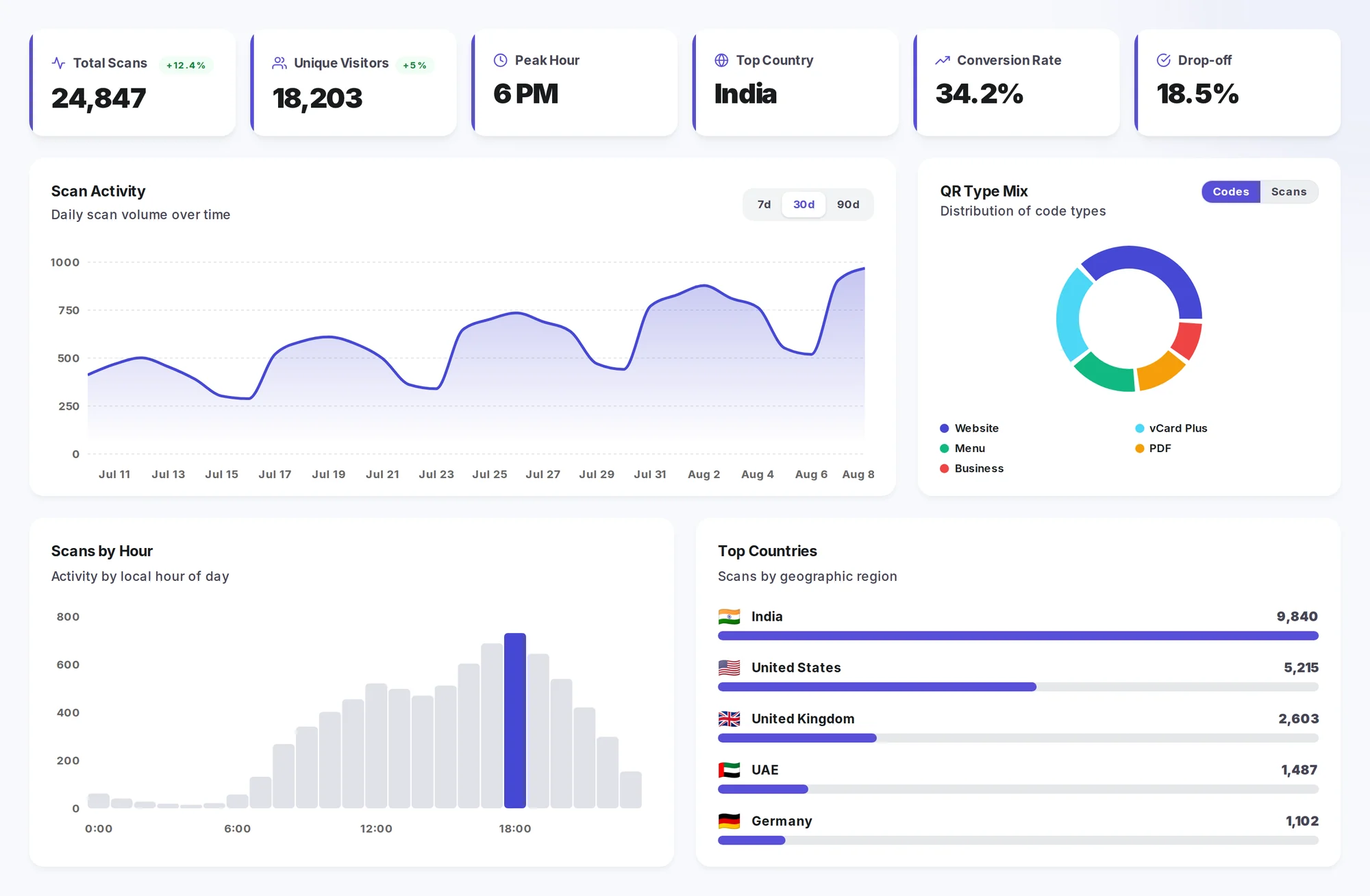
Scan analytics are included on every plan, free one too — not held back for an enterprise tier.
Where Flowcode is a great choice
Enterprise and brand marketing teams that need deep scan analytics, offline-to-online attribution, and highly customized, design-forward QR codes.
If that describes you, staying put is the right call. The full comparison covers pricing and the rest of the trade-offs.
Try the free, no-watermark alternative
Free forever plan. Editable dynamic QR codes and real-time analytics in under a minute.